
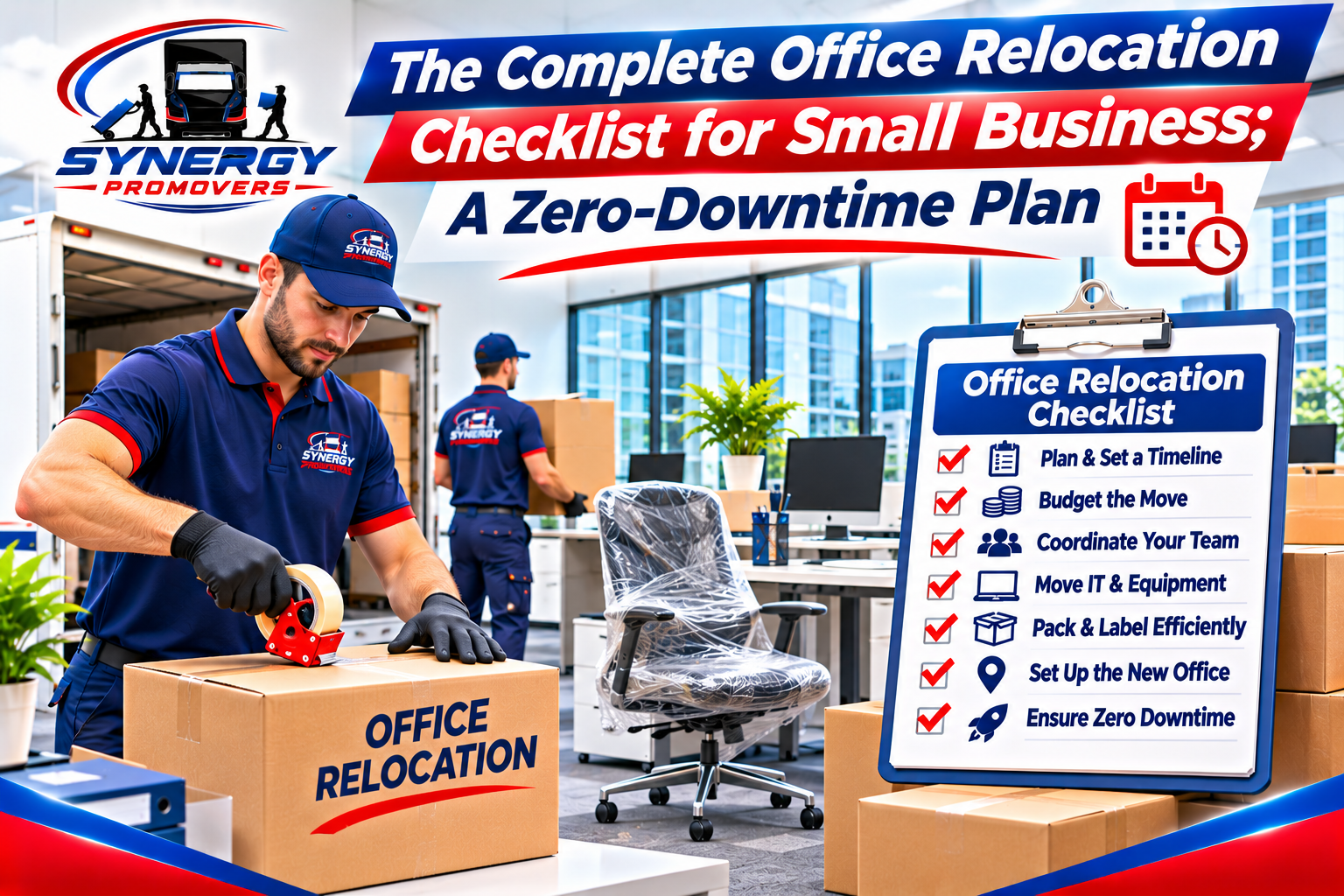
Relocating a small business of 5 to 50 employees without losing billable hours requires an 8-to-12-week (60-to-90-day) planning window, anchored by three critical milestones: ordering fiber internet and VoIP cutovers 30 to 60 days in advance, securing building Certificates of Insurance (COI) and freight elevator lock-offs 2 to 4 weeks out, and executing the physical haul between Friday at 5:00 PM and Sunday evening. Unlike a residential move, a commercial relocation involves lease decommissioning clauses, server and workstation chain-of-custody, modular furniture disassembly, and mandatory federal and provincial address updates. By assigning a single internal move coordinator, labeling every workstation using a color-coded floor plan matrix, and allocating 2 to 3 nestable plastic crates per employee, your team can log off on Friday afternoon and resume normal operations at 9:00 AM Monday morning.
Key Takeaways
- Start planning 8 to 12 weeks (60 to 90 days) ahead: Small offices with 5 to 25 workstations need at least two months to coordinate commercial lease exits, IT cabling, and freight elevator reservations; offices with 25 to 50 workstations or custom build-outs need 12 to 16 weeks (90 to 120 days).
- Order internet and telecom transfers 30 to 60 days early: Delayed ISP fiber-riser installations—not moving trucks—are the leading cause of Monday-morning business downtime in Canadian commercial buildings.
- Confirm building COI and WSIB rules 2 to 4 weeks before moving day: Property managers in Toronto, Ottawa, and Montreal typically require a Certificate of Insurance showing $2,000,000 to $5,000,000 in Commercial General Liability coverage plus a valid provincial workers’ compensation clearance certificate before unlocking loading bays.
- Use a color-coded zone and desk numbering system: Label every monitor, docking station, chair, and crate with a matching Zone Color and Workstation Number (for example,
BLUE — DESK 14) instead of employee names so movers can place items without guesswork. - Audit your outgoing lease for decommissioning clauses: Many commercial leases require tenants to remove low-voltage data cabling, patch wall mounts, and return the suite in broom-swept condition to recover the security deposit.
How to Plan an Office Move: The 90-Day Office Move Project Plan
Understanding how to plan an office move starts with treating the transition as a cross-departmental operations project led by one designated internal move coordinator rather than an informal last-minute packing task. For a company with 5 to 50 staff members, a structured office move project plan divides responsibilities across four tracks—lease and building compliance, IT and telecom cutover, workstation and furniture logistics, and regulatory address updates—beginning 8 to 12 weeks (60 to 90 days) before your lease start date.
Following a proven office relocation checklist for small business prevents the two most expensive mistakes small firms make: paying holdover rent penalties on an expired lease and paying employees to sit idle in a new suite without working internet. Whether you are moving a 10-person professional services firm in Downtown Ottawa, a tech startup in Kanata or Mississauga, or a growing clinic in Kingston, Belleville, Gatineau, or Montreal, use this step by step guide to relocating a small office to lock in your milestones.
90-Day Commercial Office Moving Checklist by Phase
| Timeline Window | Core Project Track | Mandatory Action Items | Owner |
|---|---|---|---|
| 90 to 60 Days Out | Lease, Budget & Floor Plan | Audit outgoing lease for decommissioning/restoration clauses; obtain scaled CAD or PDF floor plan of the new suite; determine how far in advance to plan an office move based on build-out needs; request on-site walkthrough quotes from commercial movers. | Operations Lead / Business Owner |
| 60 to 30 Days Out | IT, Telecom & Vendor Lock | Submit ISP fiber/internet transfer or new installation order (30 to 60 days lead time); inventory server racks, VoIP phones, and leased photocopiers; book your moving crew and reserve 2 to 3 plastic crates per workstation. | IT Lead & Move Coordinator |
| 30 to 14 Days Out | Building Rules & Labelling | Submit the mover’s Certificate of Insurance (COI) and WSIB clearance to both landlords (2 to 4 weeks out); reserve origin and destination freight elevators; assign color-coded zone and desk numbers on the master floor plan. | Move Coordinator & Property Mgmt |
| 7 Days Out | Crate Delivery & IT Backup | Deliver nestable plastic crates and anti-static bubble wrap to staff; run full off-site cloud and physical backups of all servers; schedule address updates for CRA, banks, and Google Business Profile. | All Staff & IT Lead |
| Moving Weekend (Fri 5 PM – Sun) | Physical Haul & Testing | Disconnect and pack workstations; install masonite floor protection in building corridors; move servers, modular desks, and crates; reconnect and test network switches, Wi-Fi, and printers Sunday afternoon. | Commercial Movers & IT Lead |
How to Move an Office Without Business Downtime
Knowing how to move an office without business downtime depends on separating your physical furniture move from your network infrastructure cutover so your team never loses access to cloud software, phones, or client files during billable hours. By installing and testing your new router, firewall, and internet circuit in the destination suite 3 to 5 business days before moving weekend, your IT lead can verify live connectivity before a single desk or computer is unplugged at your old location.
Beyond internet readiness, zero-downtime execution requires strict adherence to property management access rules at both your outgoing and incoming buildings.
Commercial Building Moving Rules and COI Requirements
Navigating commercial building moving rules and coi requirements is often the biggest surprise for first-time commercial tenants moving from a street-level storefront into a multi-tenant Class-A or Class-B office tower. Property management firms in major Canadian business districts will turn a moving truck away at the loading dock if compliance paperwork is not approved 2 to 4 weeks in advance:
- Certificate of Insurance (COI): Both your current landlord and your new building’s property management office will require a custom COI issued directly by your moving company’s commercial insurer. The certificate typically needs to show $2,000,000 to $5,000,000 in Commercial General Liability coverage and list the exact legal corporate names of the building owner and property management firm as “Additional Insureds.”
- Workers’ Compensation Clearance: In Ontario, commercial landlords routinely require contractors and movers working on-site to provide a valid clearance certificate from the Workplace Safety and Insurance Board (WSIB), confirming that the moving company’s account is in good standing and relieving the building owner and tenant of secondary liability for workplace injuries.
- Loading Dock Clearance & Masonite Floor Protection: Multi-tenant buildings require movers to lay down overlapping sheets of 3 mm to 6 mm Masonite (hardboard) or neoprene floor runners from the loading bay through elevator lobbies, plus neoprene corner guards on hallway walls and protective pads inside the freight elevator cab.
Scheduling After Hours and Weekend Commercial Movers
Booking after hours and weekend commercial movers is mandatory in most downtown commercial towers in Toronto, Ottawa, and Montreal, where property rules prohibit moving furniture through common lobbies between 8:00 AM and 6:00 PM on weekdays. Even when a suburban business park in Kanata, Vaughan, Kingston, or Belleville permits daytime moves, scheduling your relocation to begin at 5:30 PM on Friday gives your crew Friday night and Saturday morning to disassemble cubicles, transport crates, and reassemble workstations—leaving Saturday afternoon and Sunday open for IT reconnection and quality checks.
IT Office Relocation Checklist: Packing Office Computers and Servers for Moving
A dedicated it office relocation checklist protects your company’s most expensive and fragile hardware while preventing the Monday-morning chaos of mismatched power bricks, missing monitor stands, and bent server rails. When packing office computers and servers for moving, hardware must be grouped by workstation number and transported in anti-static, shock-absorbent rolling carts or padded computer bins rather than tossed loose into cardboard boxes.
Follow this six-step protocol for workstations, peripherals, and server rooms:
- Complete a verified cloud and physical backup 24 to 48 hours prior: Before powering down any on-premise NAS, file server, or workstation, verify that your cloud backup and an encrypted physical cold backup have completed successfully. Never transport your backup drive in the same vehicle as the primary server.
- Photograph cable configurations before unplugging: Have your IT lead photograph the rear patch panel and port layout of network switches, firewalls, and POS terminals so re-patching takes minutes instead of hours.
- Bag and label every workstation’s cables together: Place each employee’s keyboard, mouse, webcam, docking station, and power cords inside a heavy-duty resealable plastic bag. Stick a color-coded label (
ZONE + DESK #) on the bag and a matching label on the back of their laptop dock and monitors. - Never pack LCD/LED monitors in loose cardboard boxes: Detach monitors from VESA arms if required, wrap each screen in anti-static small-cell bubble wrap or commercial foam monitor sleeves, and load them vertically inside padded commercial rolling carts (or their original factory boxes). Never lay unwrapped flat-screen monitors face-down on top of desks.
- Check leased copier and multifunction printer rules: High-volume commercial photocopiers (such as Canon, Ricoh, or Xerox floor units) often contain liquid toner reservoirs and sensitive optical scanners. Check your equipment lease agreement 30 days out—some leasing companies require their own certified technicians to lock the scanner carriage and remove toner drums prior to transport to keep your service warranty valid.
- Transport server racks on air-ride or dedicated climate-conscious vehicles: During winter relocations across Ontario and Quebec, bringing cold-soaked server drives from a sub-zero truck directly into a warm humid office can cause internal condensation. Allow cold hardware to acclimate before powering on, and use uninterruptible power supply (UPS) units to test voltage stability at the new wall outlets.
Physical Packing & Furniture Prep: Your Office Relocation Checklist for Small Business
Executing the physical packing phase of your office relocation checklist for small business requires standardized containers, strict ergonomic weight limits, and a visual floor-plan mapping system that eliminates verbal instructions on moving day. Rather than writing employee names on boxes—which forces movers to ask where “Sarah’s desk” is located—divide your new floor plan into colored zones (for example, Blue Zone for Reception/Sales, Yellow Zone for Operations, Green Zone for Executive/Boardroom) and number every desk sequentially (BLUE-01, BLUE-02). Tape a matching colored sign above each workstation at the new office before the truck arrives.
Renting Plastic Moving Crates for Office Move vs. Cardboard Boxes
Choosing renting plastic moving crates for office move projects over buying single-use cardboard boxes cuts employee packing time and eliminates tape guns, box assembly, and post-move cardboard recycling fees. Commercial nestable e-crates (typically 60 × 40 × 35 cm) stack four high on custom 4-wheel dollies, allowing a single mover to roll four workstations’ worth of files into a freight elevator in one trip.
- Allocate 2 to 3 plastic crates per standard employee workstation: One crate holds desk drawer contents and personal items, while a second (and third, for legal or accounting roles) holds hanging file folders on integrated crate rails.
- Enforce safe manual lifting limits: According to ergonomic guidelines from the Canadian Centre for Occupational Health and Safety (CCOHS), keeping individual container loads within safe manual handling thresholds—no more than 18 to 23 kg (40 to 50 lb) per crate, packed compactly with heavy paper files on the bottom—reduces the risk of lower-back strain when staff pack and unpack their own desks.
- Seal confidential HR and financial crates with numbered zip ties: For payroll records, client contracts, and personnel files, lock the hinged lid of the plastic crate with numbered tamper-evident security ties to maintain a verifiable chain of custody from origin to destination.
Moving Office Cubicles and Modular Workstations
Successfully moving office cubicles and modular workstations—alongside sit-stand motorized desks, glass boardroom tables, and lateral filing cabinets—requires proper sequencing so furniture installers have clear floor space at the destination suite before employee crates are brought inside.
- Empty vertical and two-drawer lateral filing cabinets, or empty all top drawers: Standard vertical filing cabinets can sometimes be dollied with bottom drawers full if secured with stretch wrap, but wide lateral filing cabinets will warp their slide rails or tip forward if moved fully loaded with heavy paper files. Empty lateral cabinets into numbered plastic crates.
- Label modular cubicle panels and hardware bags with painter’s tape: Modular workstation systems (such as Steelcase, Herman Miller, or Teknion) rely on specific connector brackets, raceway covers, and leveling glides. Have the crew tape hardware bags directly to the main structural panel of each workstation bay and map the layout before disassembly.
- Lower motorized sit-stand desks to their lowest height before unplugging: Lowering electric standing desks protects the telescoping leg actuators from lateral shear stress while being carried around stairwells or loaded onto the truck ramp.
Business Relocation Checklist Canada: Legal, Tax, and Address Updates
A complete business relocation checklist canada extends beyond physical logistics to include statutory notifications with federal and provincial agencies, financial institutions, and digital local-search directories. Failing to synchronize your address updates can result in misdirected tax assessments, lapsed commercial property insurance, or lost local search rankings.
Changing Business Address: CRA and Google Business Profile Updates
Prioritize changing business address cra and google business profile records alongside your corporate registry and insurance policy during the week of your move:
- Canada Revenue Agency (CRA) Business Number (BN) Accounts: Under official Canada Revenue Agency business address change procedures, Canadian businesses must update their physical business location, mailing address, and the location where books and records are kept (via CRA My Business Account or by authorized representative) so corporate income tax (T2), GST/HST, and payroll (RP) accounts remain accurate.
- Provincial Corporate Registry: In Ontario, incorporated businesses must file a Notice of Change with the Ontario Business Registry within 15 days of changing their registered office address; in Quebec, businesses must file an updating declaration with the Registraire des entreprises du Québec (REQ).
- Google Business Profile (GBP) & Citations: Update your address across your website footer, contact page, and Google Business Profile on moving day. Be prepared for Google to trigger a video verification walkthrough showing your new exterior street signage, suite number, and workspace; have your branded door signage installed before filming verification.
- Commercial Property Insurance & Bank Accounts: Notify your commercial insurance broker 14 days prior to your move date so your Commercial Property and Contents policy transfers seamlessly to the new civic address (and covers goods in transit if applicable). Set up Canada Post Mail Forwarding for Businesses for at least 6 to 12 months.
How Much Does It Cost to Move a Small Office in Ontario?
When business owners ask how much does it cost to move a small office in ontario, the final invoice is driven by five operational variables rather than square footage alone: total workstation count, modular furniture disassembly/reassembly hours, IT equipment handling, building access restrictions (stairs vs. dedicated freight elevators), and whether the move requires after-hours or weekend labor rates.
Because every commercial space has a different mix of open-plan desks vs. paneled cubicles, reputable commercial movers provide a binding or itemized estimate after a virtual or on-site walkthrough. To help you understand how labour and equipment hours scale, here is a hypothetical labour-hour breakdown (illustration only — not real pricing or market data):
| Office Size Tier | Typical Crew & Truck Allocation (Illustration Only) | Estimated On-Site & Transit Time (Illustration Only) | Primary Cost Drivers & Variables |
|---|---|---|---|
| Micro Office (5 to 10 Workstations) | 3 to 4 Commercial Movers + 1 Straight Truck (26 ft) | 5 to 8 Hours (including 1-hour travel time) | Simple desk setups; 15 to 30 plastic crates; single elevator booking window; minimal cubicle disassembly. |
| Small Office (11 to 25 Workstations) | 4 to 6 Commercial Movers + 1 to 2 Trucks | 8 to 14 Hours (often Friday evening or Saturday) | Boardroom table disassembly; 35 to 75 plastic crates; server rack + copier handling; Masonite floor protection. |
| Mid-Sized Suite (26 to 50 Workstations) | 6 to 8+ Movers + Installers + 2 Trucks | 14 to 24 Hours (Phased Friday Night – Sunday) | Modular cubicle teardown and reassembly; 80 to 150 crates; multi-window freight elevator coordination; weekend rates. |
Note: Always request a written commercial estimate after confirming both buildings’ COI requirements, loading dock vertical height clearances, and elevator lock-off schedules.
DIY Office Move vs. Hiring Commercial Movers: Making the Right Call
For a 2-to-4-person startup operating exclusively on laptops with rented coworking furniture, packing personal monitors into cars over a weekend is often manageable. However, asking salaried employees to lift lateral filing cabinets, disassemble modular desks, and haul servers down commercial stairwells creates serious workplace injury liability (under provincial occupational health and safety rules), risks voiding commercial building damage deposits, and frequently leads to broken equipment.
Combining this office relocation checklist for small business with an experienced commercial crew shifts the physical burden and building compliance paperwork off your internal team. At Synergy Pro Movers, we provide dedicated commercial office moving services across Ottawa, Toronto, Gatineau, Kingston, Belleville, and Montreal—supplying commercial-grade equipment, Masonite floor runners, COI documentation, and optional professional packing services for your supply rooms, files, and hardware. Whether you are relocating across town with our local moving crew, expanding between cities with our long-distance moving services, or planning a weekend cutover, you can contact our commercial relocation team to schedule a walkthrough and tailored project quote.
Frequently Asked Questions
How far in advance to plan an office move for a small business?
You should start planning 8 to 12 weeks (60 to 90 days) in advance for a small office with 5 to 25 workstations, and 12 to 16 weeks (90 to 120 days) in advance for an office with 25 to 50 workstations. This window is essential because commercial fiber internet installations take 30 to 60 days and building freight elevator bookings fill up 2 to 4 weeks ahead.
What is the most overlooked step in an office relocation checklist for small business?
The most overlooked step is auditing the outgoing lease’s decommissioning and restoration clause 60 to 90 days before lease expiry. Many commercial landlords require outgoing tenants to strip abandoned low-voltage Cat5/Cat6 data cabling from the ceiling plenum, remove custom signage, and patch drywall before releasing the commercial security deposit.
Who disconnects and reconnects desktop computers during a commercial move?
In most small-business moves, your internal IT lead or Managed Service Provider (MSP) powers down servers, backs up data, and disconnects desktop cabling into labeled bags, while the commercial moving crew wraps the monitors, loads the padded tech carts, and places each bundle at its matching numbered desk for your IT team to reconnect and test.
How many plastic moving crates does each office employee need?
A standard paperless or hybrid workstation requires 2 nestable plastic moving crates (one for desk drawers and peripherals, one for personal items and binders). Employees in paper-intensive roles—such as accounting, legal, HR, or architecture—typically require 3 to 4 crates, plus separate rolling bins for shared archive filing cabinets.
What insurance documents do commercial office buildings require from movers?
Commercial property managers across Ontario and Quebec require a Certificate of Insurance (COI) issued by the mover’s insurer showing $2,000,000 to $5,000,000 in Commercial General Liability coverage, naming the landlord and property management corporation as additional insureds, alongside a valid provincial workers’ compensation clearance certificate (such as an Ontario WSIB Clearance Certificate).
Can commercial movers relocate our office overnight or on the weekend?
Yes. Professional commercial movers routinely operate between 5:00 PM Friday and Sunday evening or during overnight windows. Weekend and after-hours scheduling is mandatory in many Class-A and Class-B office towers in Toronto, Ottawa, and Montreal, and ensures your employees experience zero lost billable hours during the workweek.
Should employees pack their own desks or should we hire professional packers?
The most efficient hybrid approach is to have employees pack their own desk drawers and personal items into 2 to 3 labeled plastic crates during the final afternoon before moving day, while hiring professional commercial packers to pack shared kitchens, supply closets, server rooms, fragile artwork, and high-density archive rooms.